3 minutes, before the semester starts

Just upload —
Semestree does the rest

Your professor already planned the whole semester — it's all in the syllabus. Semestree turns that one file into a semester calendar of classes, assignments, and exams — deadline reminders included.

10-second Google sign-up · no card required

Live demo

Drop it in — here's what happens

No sign-up needed. Watch a syllabus become a semester calendar — then swipe across to see a lecture file become summaries, quizzes, and flashcards.

Click to watch 12 items move over one by one

Principles_of_Management_syllabus.pdf

BUS 2001-01 · Tue/Thu 10:30–11:45 · Fall 2026

Textbook — Principles of Management, 8th ed. · assigned chapters each week

Grading — midterm 30% · final 30% · assignments 25% · attendance 15%

Week 1 (Tue 9/1) Orientation — how the course runs, grading policy

Week 3 (Thu 9/17) Assignment 1 due — company case study, 3 pages, before class

Week 5 (Tue 9/29) Quiz 1 — weeks 1–4, first 20 minutes of class

Week 6 (Thu 10/8) No class (conference) — makeup Tue 10/13, period 6

Week 7 (Thu 10/15) Midterm — weeks 1–7, in class, 100 minutes

Week 8 (Thu 10/22) Assignment 2 due — SWOT analysis report

Week 10 (Tue 11/3) Team project topic and roster due

Week 11 (Thu 11/12) Quiz 2 — weeks 8–11

Week 12 (Thu 11/19) Assignment 3 due — reading financial statements

Week 13 (Thu 11/26) Final team presentations — 12 min each, Q&A included

Week 15 (Thu 12/10) Final exam — weeks 8–15, in class, 100 minutes

Week 16 (Tue 12/15) Last day — grade review and appeals window

Instead of copying these scattered lines by hand all semester,

My semester calendar

SMTWTFS
1
2
3
4
5
6
7
8
9
10
11
12
13
14
15
16
17
18
19
20
21
22
23
24
25
26
27
28
29
30
31
    ExamAssignmentQuizTeamNotice

    Click to turn this one file into four study tools

    Management_wk5_org-structure.pdf

    24 pages · week 5 lecture notes

    Instead of re-reading this file during exam week,

    Study tools, generated

    Summaries, quizzes, flashcards, and a mindmap will appear here

    Playing automatically · touch it to stop

    Why it matters

    6 in 10 students have missed a deadline

    63.8% of students say they've missed an assignment or exam date (our own survey). It isn't about diligence — it's that five courses keep their schedules scattered across PDFs, the LMS, and group chats.

    Doing it yourself

    • 2–3 hours setting up a Notion template
    • Hand-updating it every week as things change
    • By week 3, you stop opening it

    With Semestree

    • 3 minutes to upload
    • Re-upload the revised file — that's the update
    • Reminders reach you first

    How it works

    All you do is upload

    01

    Upload

    Just drop in the syllabus PDF. No renaming, no picking a course. Uploading takes 3–5 seconds.

    02

    Semestree reads it

    It finds your class times and every assignment, exam, and deadline. The heavy lifting happens in the background.

    03

    Your calendar fills in

    A whole semester lands on your calendar, and D-7/3/1 reminders come to you first.

    After classes start

    The same files, ready for exams

    When exams come around, the lecture files you already uploaded become your study material — grounded in your own course files, not something generic from the internet.

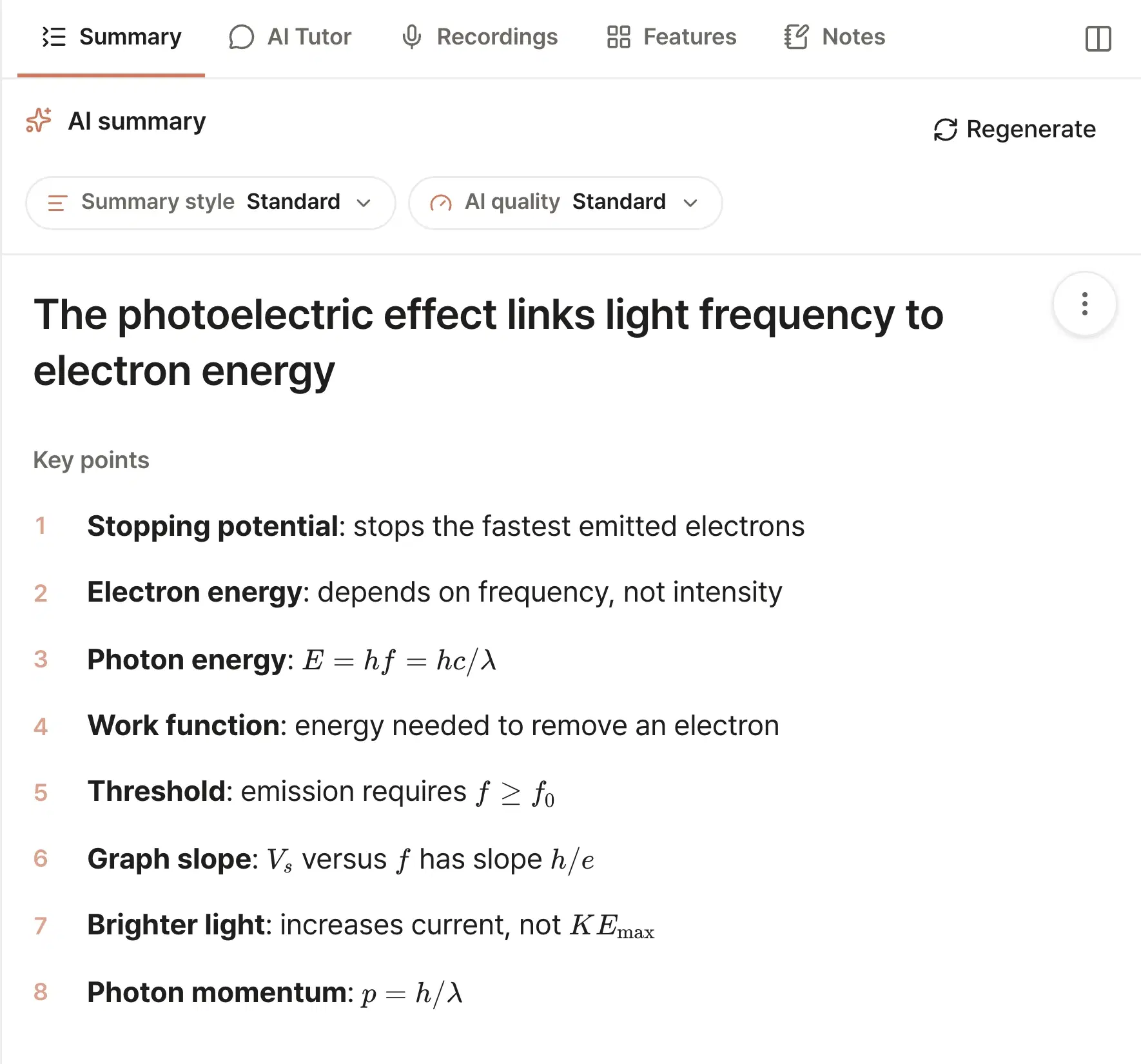
    Summaries & mindmaps

    Every file comes with a summary, mindmap, memorization points, and key topics — scoped to just the pages on the exam if you want.

    Quizzes & flashcards

    Questions are pulled straight from your uploads — and you set the difficulty.

    Daily reviewPlus

    Cards you got wrong come back sooner, cards you nailed come back later. Spaced repetition that hands you only today's stack.

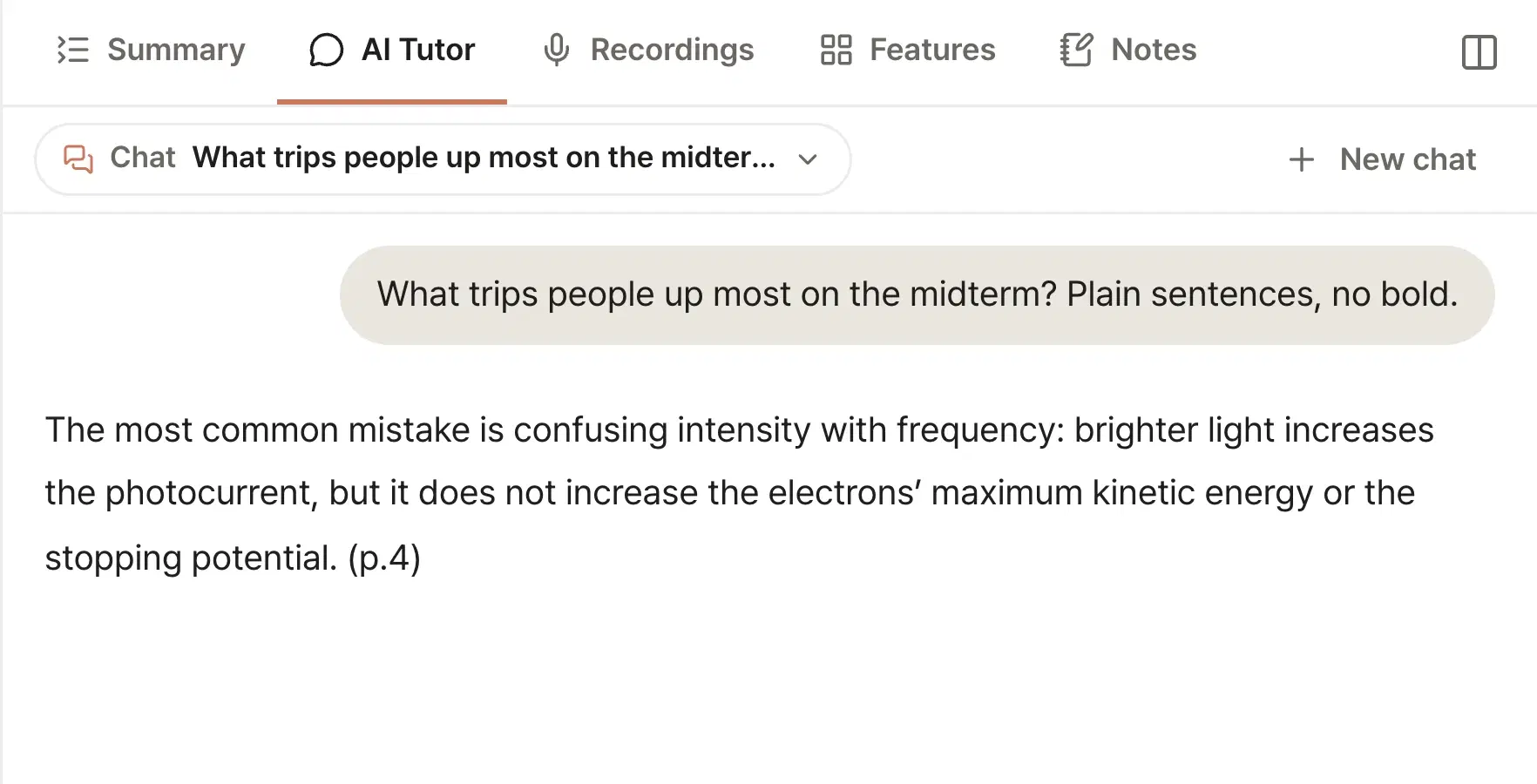
    AI tutor grounded in your files

    A 1:1 tutor that answers from your uploads. Snap a photo of your handwritten solution for feedback.

    Formulas, scans, YouTube

    LaTeX renders cleanly, scans and handwriting are read with vision OCR, and YouTube links become study material via transcripts.

    Choose the AI qualityPlus · Pro

    Pick the quality when you generate summaries and quizzes — Standard for a quick pass, a higher tier right before an exam. Better opens on Plus, Best on Pro.

    Team scheduling, also here

    Send one link, teammates mark when they're free, and the overlapping slots show up right away. Group-project scheduling, done.

    Exam date changed mid-semester? Re-upload the updated syllabus — Semestree finds what changed, proposes it, and applies only what you approve.

    Pricing

    Organizing is free — topping the class is an upgrade

    Every plan starts with a free account. Cancel anytime.

    Prices include VAT. This is a recurring subscription that renews until cancelled.

    Basic

    Free

    Right after sign-up

    • 2 file uploads
    • Summaries · quizzes · flashcards (basic)
    • AI tutor (limited)
    Start free
    Most popular

    Plus

    $4.99

    per month · 30% off yearly

    • Unlimited PDF & YouTube uploads
    • Unlimited summaries · quizzes · flashcards · mindmaps
    • Review queue — spaced repetition on misses
    • AI tutor — 200 questions/mo
    Start with Plus

    Pro

    $9.99

    per month · 30% off yearly

    • Everything in Plus
    • Exam mode — merged review & mock exams
    • Weakness analytics · retry wrong questions
    • Unlimited AI tutor questions
    Start with Pro

    FAQ

    Frequently asked questions

    Is it really free?

    Yes. The free plan includes 2 material uploads with summaries, quizzes, flashcards, and a taste of the AI tutor — no card required. Syllabus uploads don't count against the limit.

    What files can I upload?

    PDF, PPTX, DOCX, and images (photos of notes, scans) are supported — and YouTube links become study materials via transcript extraction.

    Does it handle STEM materials with formulas?

    Yes. LaTeX formulas render cleanly, and scanned or handwritten pages are read with vision OCR.

    What about lectures in English?

    Yes. The UI is bilingual (Korean/English), and you can set the AI output language separately.

    What happens to my uploaded files?

    They're used only to power your account's study features, and you can delete them anytime. See the privacy policy for details. Read the privacy policy

    What if an exam date changes mid-semester?

    Re-upload the updated syllabus — Semestree finds what changed and proposes it. Only approved changes touch your calendar.

    It's still break — I don't have a syllabus yet

    Try the sample demo above first. Once course registration closes, you can download each course's syllabus PDF from your school portal or LMS. Upload it before classes start and reminders begin from week 1.

    This semester, ahead of every deadline

    Three minutes to upload your syllabus. Semestree handles the rest until the semester ends.

    Start for free